
On the Night
Run the Draw
The whole draw, start to finish.
Open Control
Head to
/draw/controland log in.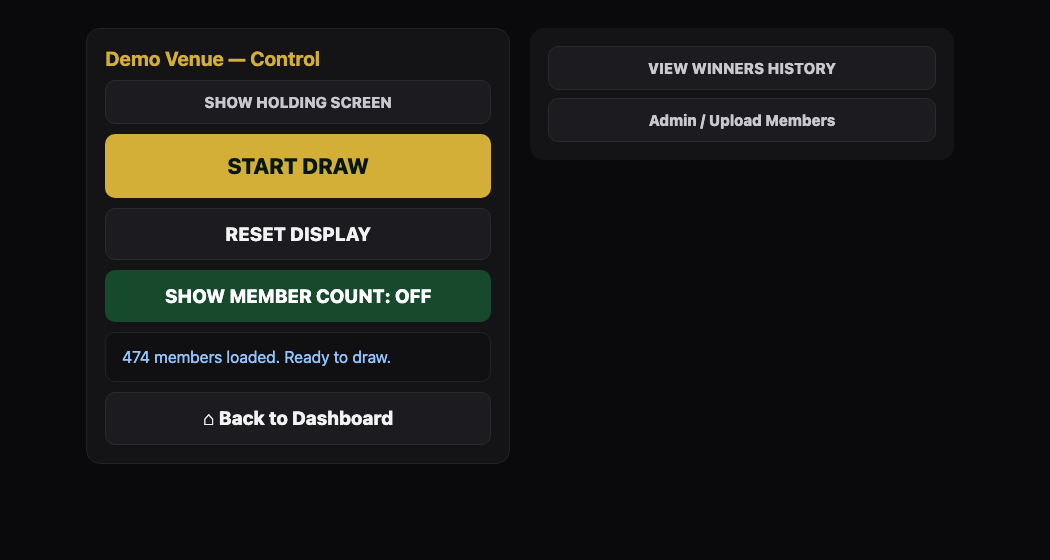
The Draw control panel. Warm the room up (optional)
Show Holding Screenputs a "Starting Soon" screen up on Signage before you begin — only works if this venue also runs Signage.Start Draw
Spins through eligible members for a few seconds and lands on a winner.

What the room sees on the TV before the draw. Jackpot active? Confirm the outcome
Prize Claimedresets the jackpot back to its starting amount.Not Present — Rollovercarries it over (plus the weekly increment) to next week.Reset Display
Clears the screen back to idle, ready for the next draw.
Still stuck?Send us a ticket and the JJJK team will get back to you.
Submit a ticket